Rennie Tag & Mug NFC Tag Set Up
Once set up easily share contact info to new people or to whomever finds your lost item
What you’ll need
-Smart phone with NFC support (most Androids and Iphones)
-NFC tagged object
-The Free NFC Tools app
-Iphone: Apple App Store
-Android: Google Play Store
How to program your NFC tag
1) Open NFC Tools
Install and open the app
2) Erase The Tag
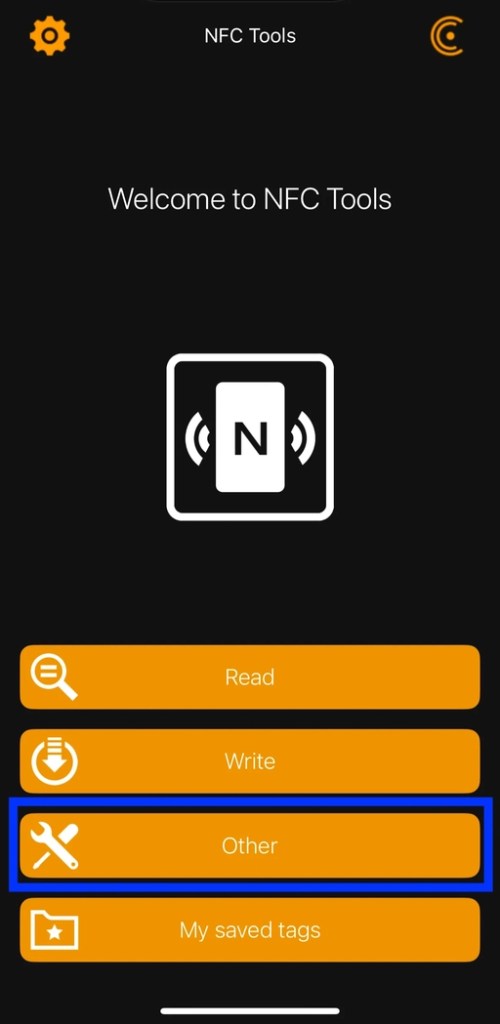
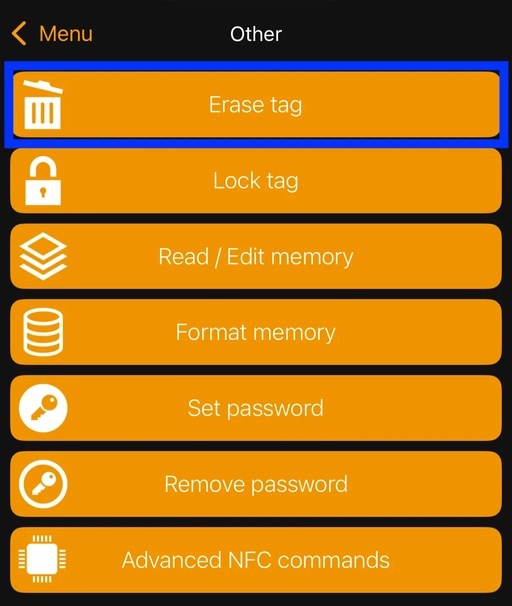
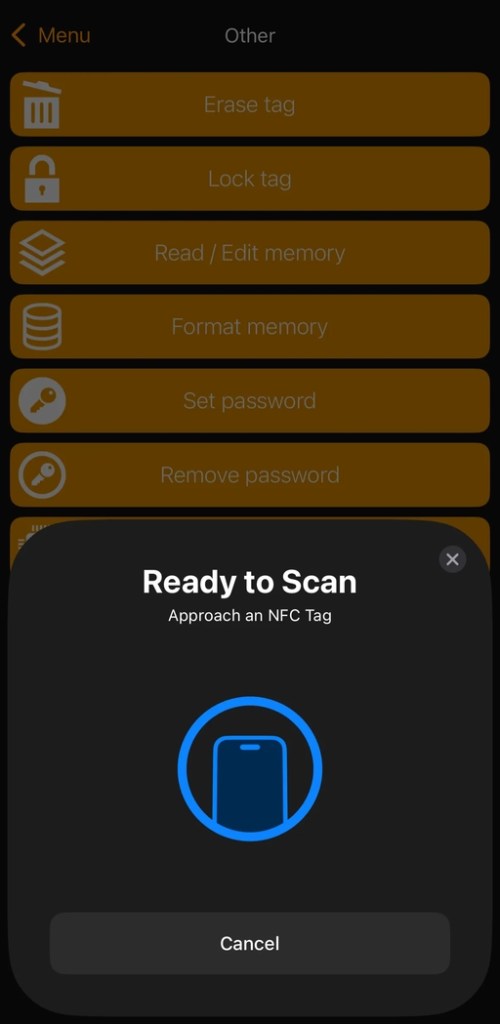
Tap the “Other” button, then select “Erase tag,” and when it says “Ready to Scan” hold your tag near the NFC reader on your phone (top of the phone for iPhone and mid-top for Android).
3)Choose What You Want to Share
You can add your contact card, a link to your social media (Facebook, Instagram, etc), your LinkTree, a link to a payment app (PayPal, Venmo, Cash App, etc), or link messenger (Telegram, etc).
4)Program Your Tag
Go back to the main screen of the NFC tools app and choose “Write” this time.
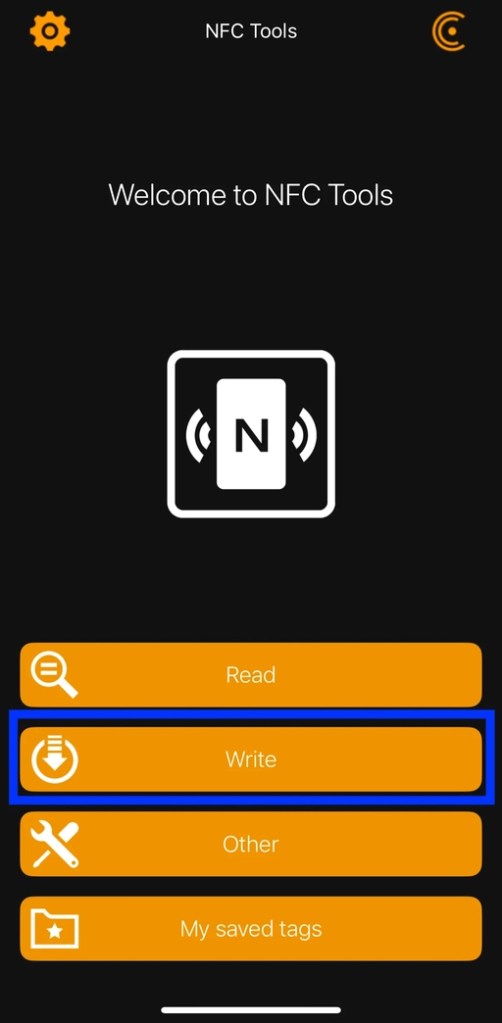
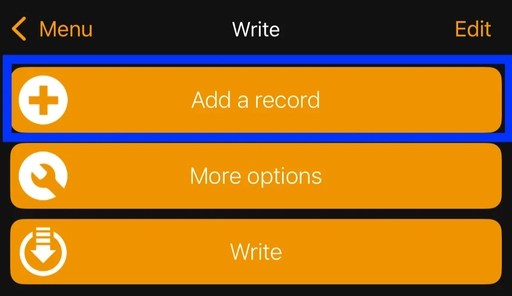
Then select “Add a record,” and choose “URL / URI” (it works the best).
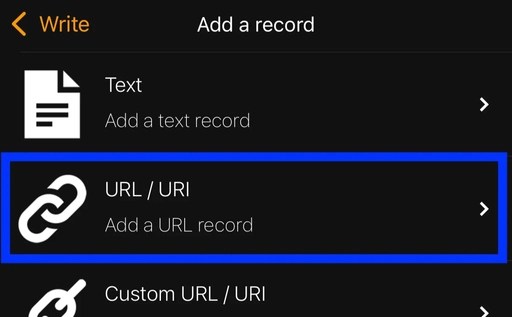
Enter the link you want to use without the “https://” since that is already included.
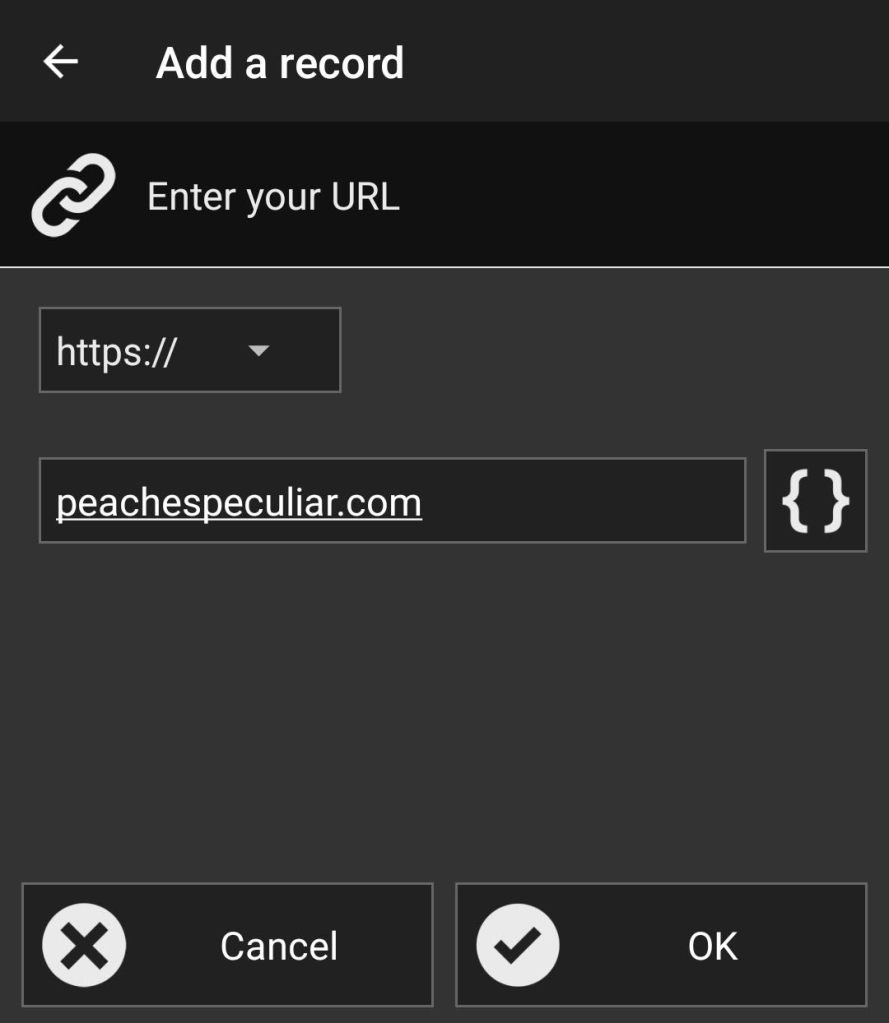
Select OK and then “Write / x Bytes.”
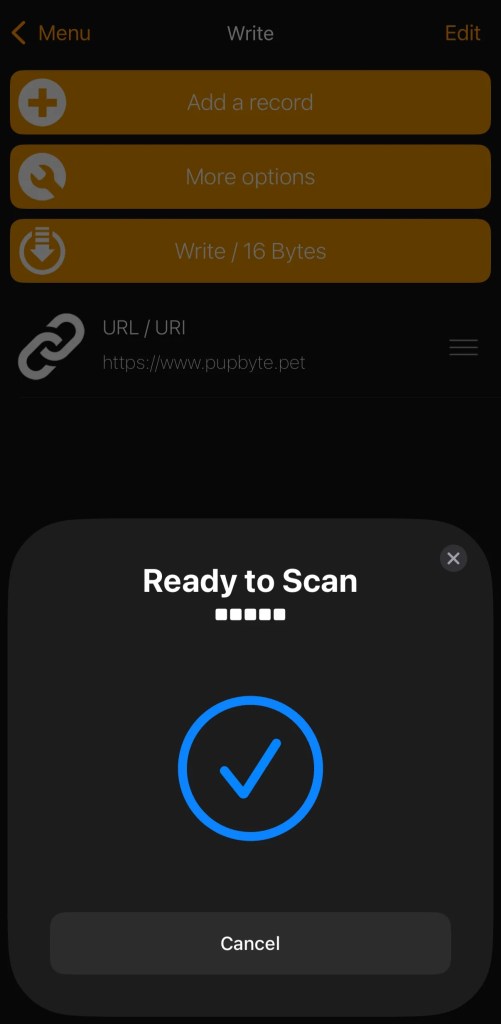
Hold your tag near the NFC reader on your phone like when you erased it when it says “Ready to Scan.”
When that shows successful, your tag is ready to use.
 Peaches Peculiar Purveyance